
A receptionist does many things, but the one therapy practices miss most is small: telling the right clinician, quietly, that their client has walked in. Without one, that job falls to the client, the therapist, or a piece of hardware. Some of those choices hold up better than others, especially once a practice grows past one office.
What a good arrival signal does
- It reaches only the right person. In a suite of five offices, an alert for one therapist shouldn't pull the other four out of session.
- It's silent in the session room. The client you're with shouldn't hear the next one arrive.
- The client knows they've been seen. Most mid-session knocks come from a client who isn't sure anyone knows they're there.
- It works while you're busy. You should be able to check it at a natural pause, not when it demands.
- It keeps names private. Nothing in the waiting room should show who else is being seen today.
The common methods, side by side
| Method | Right person only | Silent | Client knows | The catch |
|---|---|---|---|---|
| Check-in kiosk with phone alerts | Yes | Yes | Yes | Needs a tablet in the waiting room and an app or phone number for each clinician. |
| Pickup at the session time | Yes | Yes | No | Nothing tells you an early or late client is there, and the client can't tell whether you know. |
| Client texts you | Yes | Usually | Only if you reply | Shares your personal number, and you have to notice a text during someone else's session. |
| Doorbell or chime | No | No | Partly | Everyone in the suite hears it, including clients in session, and strangers can ring it. |
| Wall switch and light per office | Yes | Yes | Partly | Needs wiring for every office, and you have to be looking at the light. |
| Paper sign-in sheet | No | Yes | Partly | Nobody is told, and each client can read the names above theirs. |
| Waiting-room camera or video doorbell | No | Usually | No | You have to keep checking a feed, motion alerts fire for everyone who walks in, and it records clients in a therapy waiting room. |
For a solo therapist with a steady adult caseload, a set pickup time plus the occasional text is often enough. The trouble starts with early arrivals, parents with young children, and shared waiting rooms. Our guide to running a practice without a front desk covers each option in more depth.
Products therapists use
Prices from each company's website, checked October 2026. Confirm current pricing before you buy.
| Feature | TapIn | Arrival App | Purple Couch |
|---|---|---|---|
| How the therapist finds out | Silent app alert on their phone or Apple Watch | Text message | Text or email |
| Several locations in one account | Yes, and each kiosk lists that location's clinicians | No, one account per location | Not mentioned |
| Monthly check-in limit | None | 200 to 1,000+, by plan | Not stated |
| Price for a solo therapist | $5.99 a month | $12.99 a month | $14.99 a month |
TapIn (ours)
Best for practices that want a silent alert on the therapist's phone or watch, or that run more than one location.
The client taps their therapist on the iPad, and only that therapist is notified. From $5.99 a month, plus $3.99 for each additional clinician, with unlimited check-ins, kiosks and locations.
- Arrival App. Best for teams that would rather get texts than install an app. From $12.99 a month, priced by check-in volume, with unlimited practitioners. TapIn vs. Arrival App
- Purple Couch. Best for teams of up to five that want one flat price and text or email alerts. From $14.99 a month for up to 5 staff. TapIn vs. Purple Couch
- Sign In App (formerly The Receptionist for iPad). Best for offices that need full visitor management, such as badges and visitor logs. $630 a year per location ($52.50 a month).
- I'm Here! Notification System (wired panel). Best for offices that want no screens and can wire every room. A one-time hardware purchase, installed by an electrician: $799 for one name, $999 for three, and $100 for each extra name up to $1,899 for 12.
What changes in a group practice
With one clinician, every arrival is for you. With ten, the signal has to carry one more piece of information: who the client is here to see. That rules out anything shared, like a doorbell, a single practice phone, or a sign-in sheet, because each one reaches everyone or no one.
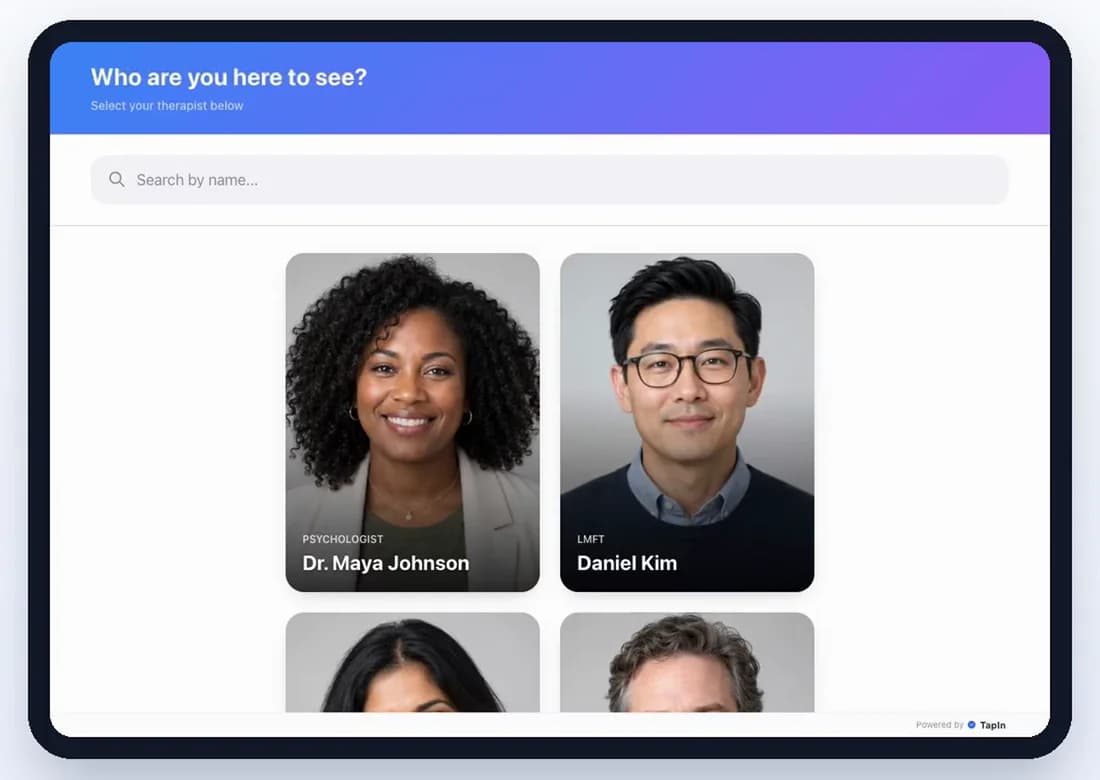
- Let the client pick. Clients know their therapist's name. A screen listing every clinician, ideally with photos, routes the arrival without anyone in the middle.
- Match each waiting room to who works there. If you have two locations, each check-in point should list only the clinicians who see clients there.
- Plan for “I don't know who I'm seeing.” New clients, or parents dropping off for a rotating tech, may not know a name. List a lead clinician or intake coordinator they can choose instead.
- Make adding people cheap. Associates join and leave. Whatever you use, adding a new clinician should take minutes, not a work order.
Getting the alert while you're in session
A signal only helps if it reaches you in a way you can ignore until the right moment. A few habits make that work:
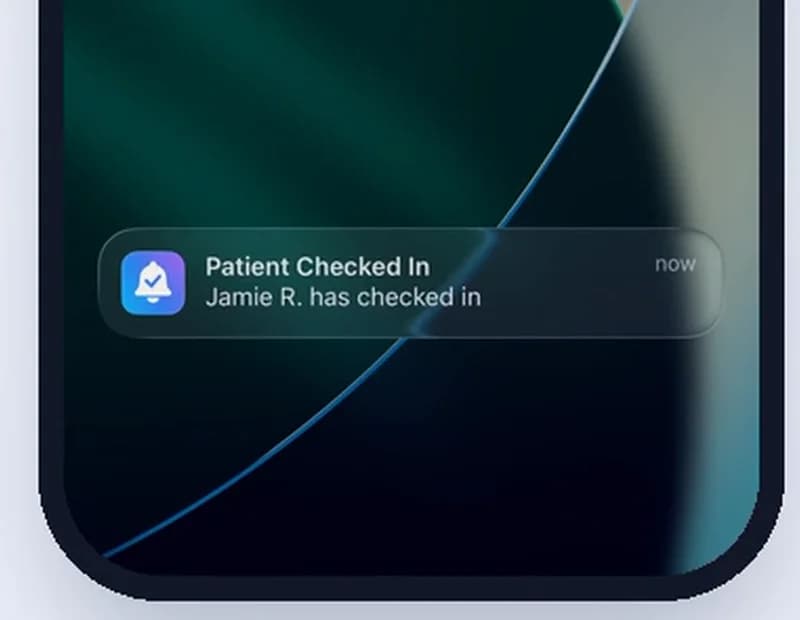
- Use your wrist. A notification on an Apple Watch, paired with your iPhone, is the least disruptive way to learn your next client is in.
- Filter your phone. A Focus mode that silences everything except arrival alerts keeps the phone face down without missing anything that matters.
- Check at the natural pause. Most therapists look once at the end of a session. The point of a silent alert is that you choose when.
Telling clients what to do
Whatever you choose, say it twice: once in the appointment confirmation (“When you arrive, check in on the iPad by the door and have a seat”) and once on a small sign in the waiting room. After the first visit, clients do it without thinking.
Is each option HIPAA compliant?
No check-in method is HIPAA compliant or non-compliant on its own. What matters is what gets recorded, where it's kept, and who can see it. HIPAA applies to practices that send health information electronically, such as for insurance billing. State privacy law and your license's confidentiality rules apply either way.
- Pickup time, doorbell, or wall light. Nothing is recorded or sent. A light shows that someone is there for a therapist, not who.
- Paper sign-in sheet. HHS allows sign-in sheets that ask only for what's needed to sign in, never the reason for the visit (HHS FAQ). Covering or removing earlier names limits what the next client sees.
- Client texts you. HHS allows unencrypted messages with patients who accept the risk, as long as you limit what's said (HHS FAQ). Your phone then holds client names and messages, so lock it and hide message previews.
- Camera. Footage that shows identifiable clients at a therapy office can count as protected health information once your practice keeps it. Find out where the footage is stored and who at the camera company can view it, limit who in your practice can watch it, never point a camera into a session room, and tell clients it's there.
- Check-in kiosk with phone alerts. Each check-in passes through the company's servers on its way to the therapist's phone. Ask what the app stores, how long it keeps it, and whether clients can check in without typing a name. Hide notification previews so names don't appear on a lock screen or watch face.
TapIn stores only the name or initials typed at check-in and deletes check-ins automatically within 48 hours by default. If you'd rather no client names leave the iPad, turn names off: the therapist still gets the alert, and TapIn stores no name. This is general information, not legal advice.
Where TapIn fits
TapIn is the check-in kiosk option in the methods table above. A client taps their therapist on an iPad in the waiting room, and that therapist gets a push notification on their phone or Apple Watch. Each location's kiosk lists the clinicians who work there, and the name field can be turned off so clients don't type anything. If you're choosing between check-in apps, see TapIn vs. Arrival App, TapIn vs. Purple Couch, or the wider comparison of check-in software.
Questions
How do therapists know when their client has arrived if there's no receptionist?
Most use one of a few signals: a set pickup time, a text from the client, a doorbell or wall switch, or a check-in kiosk that alerts the therapist's phone. The best ones reach only the right therapist, make no sound in the session room, and show the client that they've been seen.
Is it OK for clients to text me when they arrive?
It works for a solo practice with established adult clients. It puts your personal number in every client's phone, it relies on you noticing a text mid-session, and it doesn't work for a group practice where clients would need to text the right person.
How can I get arrival alerts during a session without being distracted?
Use a signal that's silent and glanceable. A notification on an Apple Watch, or a phone face down with a Focus mode that only lets arrival alerts through, lets you check at a natural pause instead of being pulled out by a knock.
What's the best setup for a group practice with one waiting room?
One check-in point where the client picks their own therapist, with the alert going only to that therapist. A doorbell or a single shared phone doesn't scale past a few clinicians, because every arrival reaches everyone.
What should clients see when they walk in?
One obvious instruction, like a small sign that says "Please check in on the iPad," repeated in the appointment reminder. After the first visit, clients do it without thinking.
Is there a free way to know when a client arrives?
If you work alone, yes. A set pickup time costs nothing, and many therapists let established clients text when they arrive. Free options get harder in a shared waiting room, where the signal has to reach one therapist without disturbing the others.
What is a waiting room light system?
A wired panel in the waiting room with a button next to each therapist's name. The client presses their therapist's button, and it lights up in the waiting room and in that therapist's office. It's silent and reaches the right person, but every office needs wiring, and the therapist has to be looking at the light.
Can I use a camera to see when my client has arrived?
It can work for a solo therapist who checks a phone between sessions. A camera doesn't tell you who someone is or which therapist they're there for, and motion alerts fire for everyone. It also records clients in a therapy waiting room, so decide who can view the footage and tell clients the camera is there.
Check-in for your kind of practice
Let the iPad tell you who's here
Start a 14-day free trial with no credit card. Pair an iPad, invite your clinicians, and each one gets their own silent arrival alerts.